Which products AI shows in carousels — and whether yours are among them
On shopping queries like “which monitor should I get for work”, Alice AI and ChatGPT add a product carousel to the text answer: photo, price, store, a buy button. That is where the user clicks through to buy. The E-com section collects these carousels from your prompts every day and shows who is in them, where they rank and where AI sends people to buy.
Available on every plan. Carousels accumulate from the first monitoring run and cannot be backfilled — the earlier you start, the more you see.
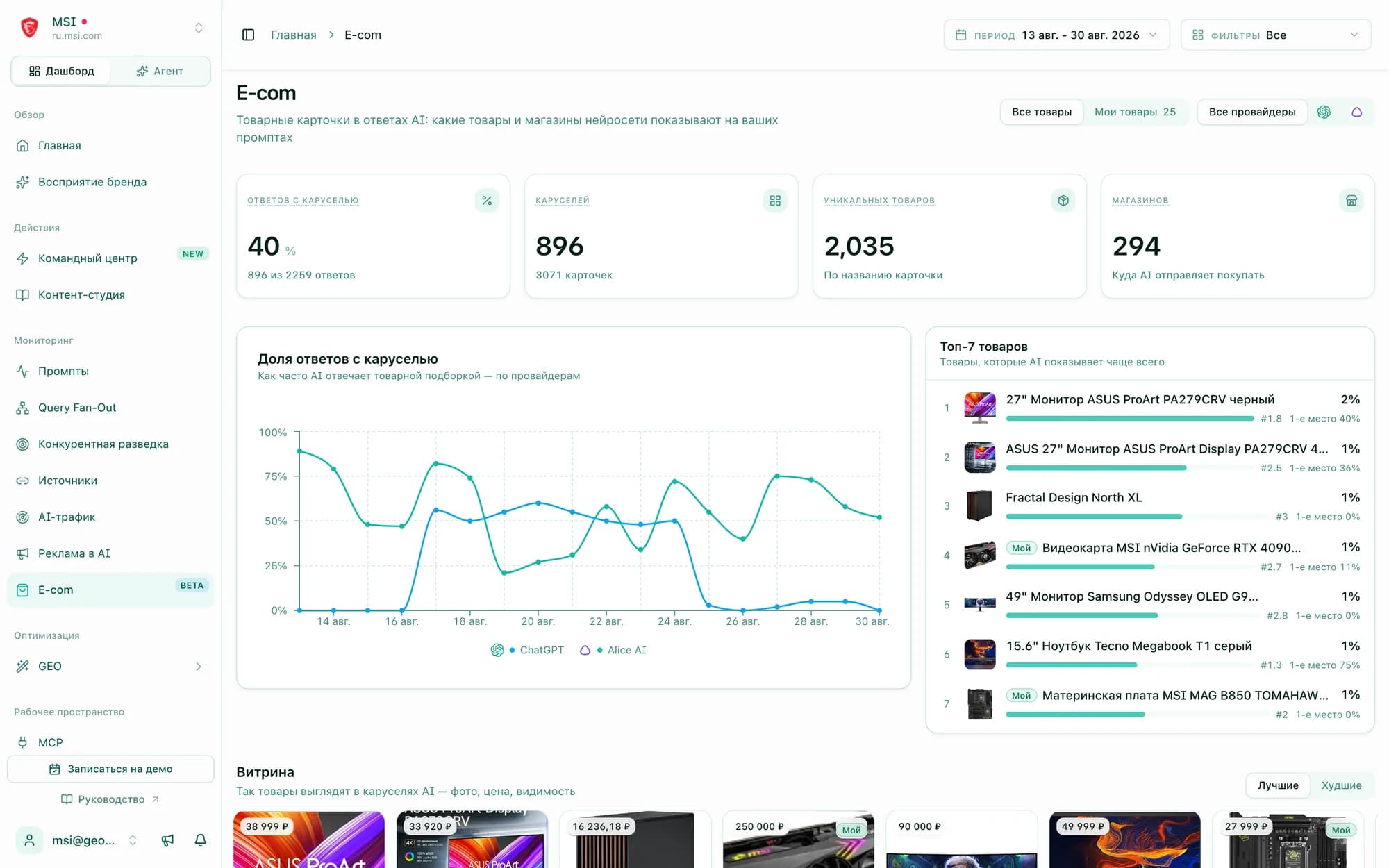
A mention in the text is not a spot on the shelf
Your brand may be named in the answer while the carousel next to it shows competitors’ products — and the click goes to them. E-com shows that shelf in full: who is on it, how often and in which store.
- 01“Answers with carousel” — how much of your query set the engine treats as purchase intent, separately for Alice AI and ChatGPT
- 02Top products with visibility, average position and first-place share — who holds the shelf right now
- 03Stores AI sends people to buy from and prompts where a carousel appears — with a link into every answer
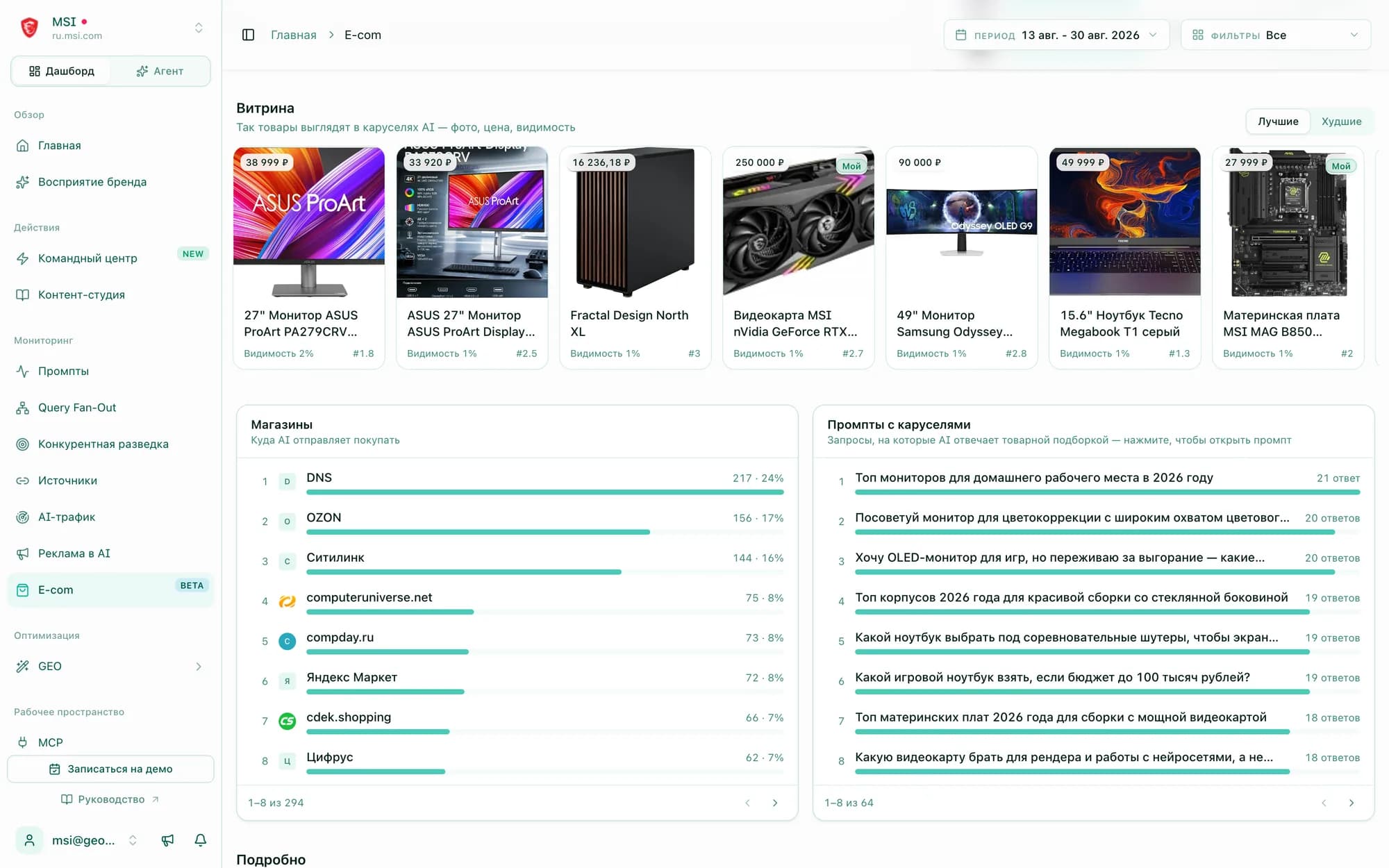
A page for every product and every store
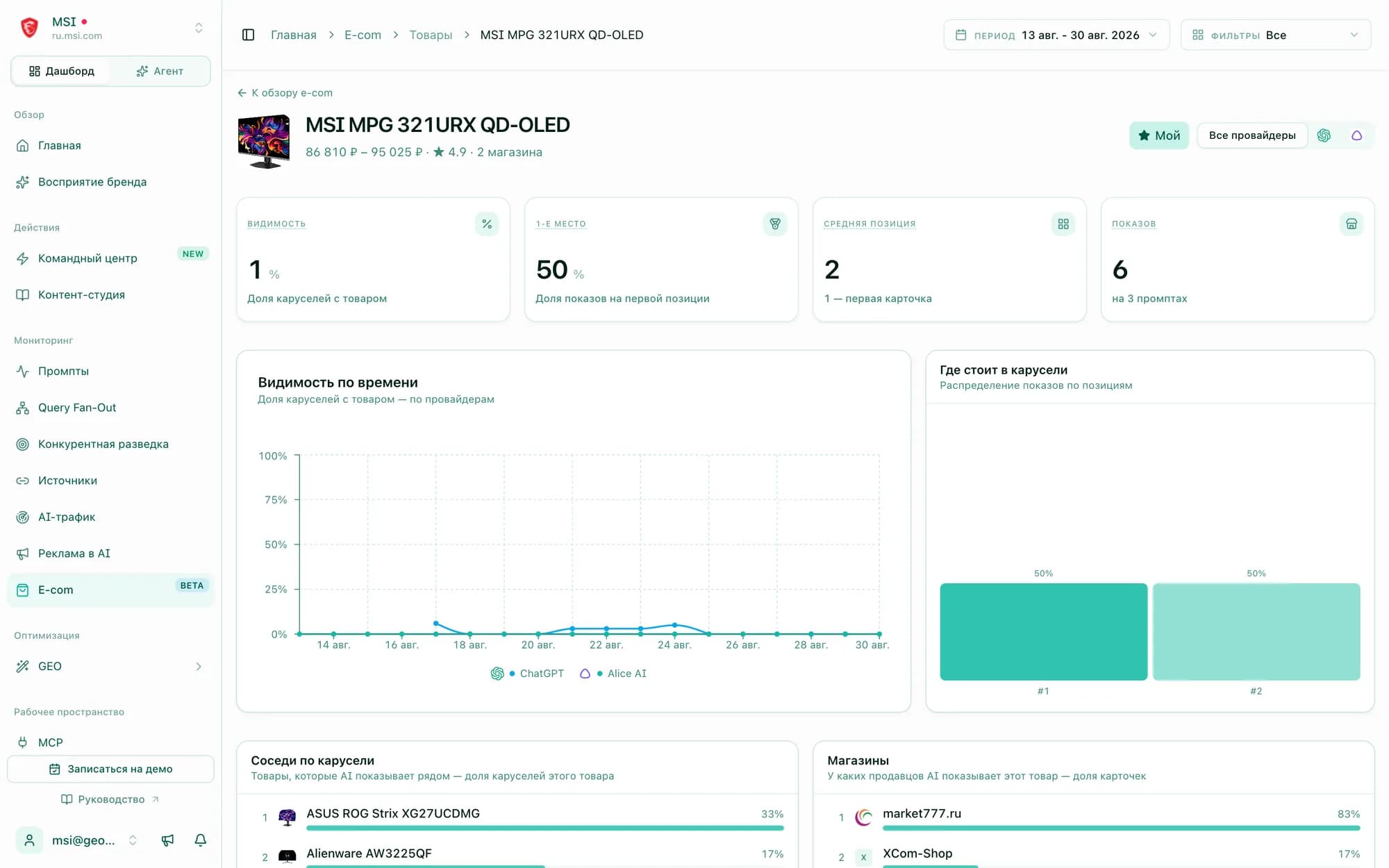
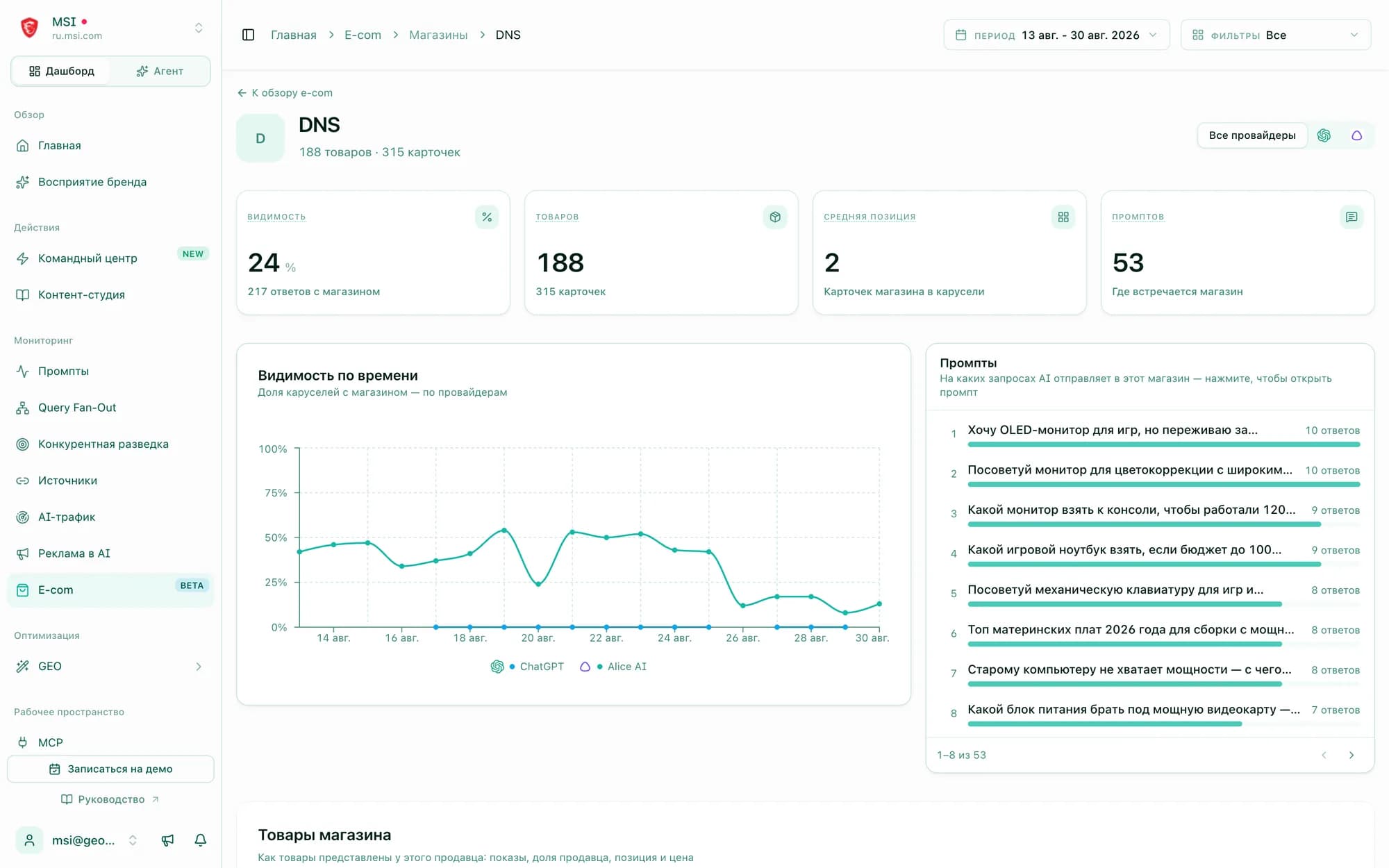
Each carousel card is recorded with position, price, store, rating and badge. Product and store pages are built from these — with trends and links back to the source answers.
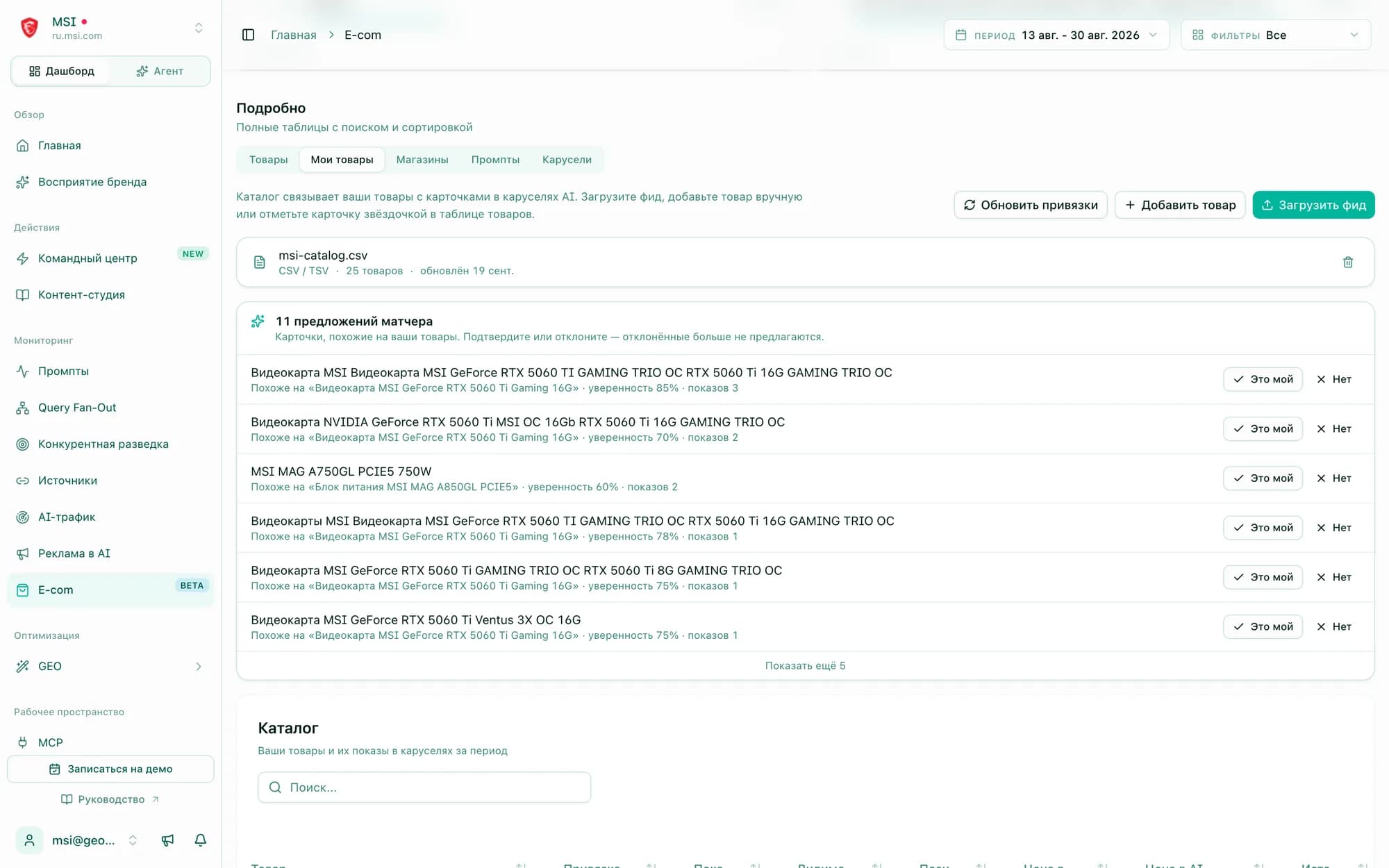
Upload your catalog — the matcher finds your products itself
A feed by URL or file: Yandex Market YML, Google Merchant or CSV. A product can also be added manually or starred right in the cards table.
- 01SKU or model code plus brand match — linked automatically; a title-only match goes to suggestions for confirmation
- 02Rejected suggestions never come back, and “Refresh links” picks up new appearances after every run
- 03The catalog shows which products never appeared in carousels — candidates to work on
“My products” mode: the same shelf through your assortment
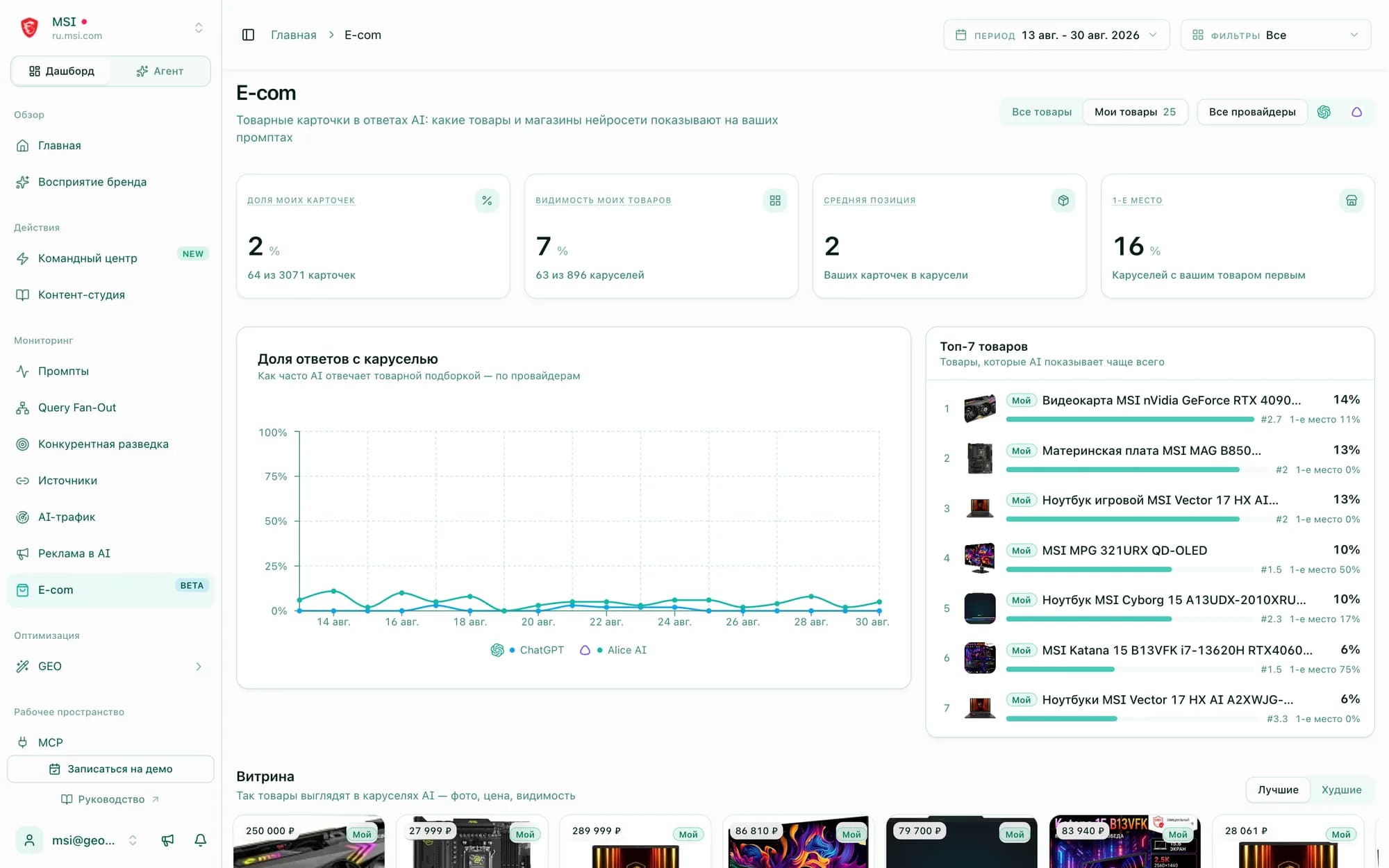
One switch in the header — and every metric, the chart, the showcase and the tables are computed only for products from your catalog.
What part of all carousel cards in the period are your products
Share of carousels with at least one of your products
Where your products usually sit inside the carousel
How often your product opens the carousel
Not “mentioned or not” — the whole card
Every carousel card is broken down into fields that feed all section metrics. The data is exactly what the shopper sees in the engine’s interface.
Card: position, price, store
Place in the carousel, price and old price, store, rating and badge (“Hit”, “Sale”) — as AI showed them at the moment of the answer.
Where it sends people to buy
DNS, Ozon, Citilink, Yandex Market or your own site — with the store’s share of all cards and the list of prompts.
The product and its neighbours
Products are grouped by card title; each has visibility, average position, first-place share and the comparison set the shopper sees.
Catalog linking
YML, Google Merchant or CSV feed; automatic linking by SKU and model code, suggestions for confirmation in ambiguous cases.
Metrics for your assortment
Share of own cards, visibility, average position and first-place rate — across the catalog and per product.
Prompt, agent and MCP
A “Products” tab on the prompt page, the built-in agent and MCP tools to ask about carousels in your own words.
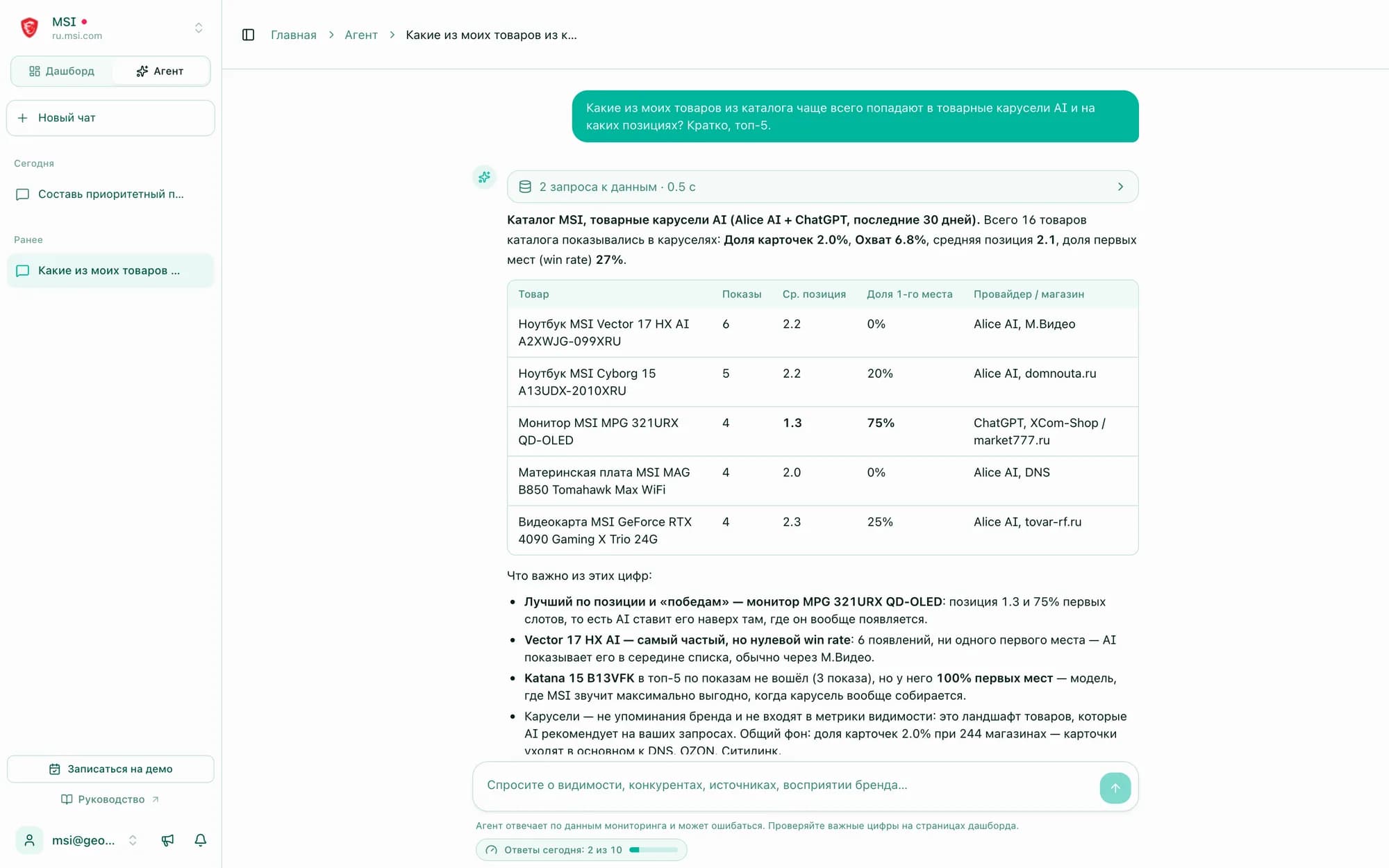
Ask the agent: “which of my products get into carousels most often?”
The built-in agent and the MCP server got product-carousel tools — overview, products, stores, prompts, product card and catalog. It pulls the data itself and answers with a list of positions and stores.
How the section works — in the guideSee the AI shelf for your own products
Sign up, add shopping queries to monitoring — and carousels start accumulating from the first run. If the catalog is large or spans many categories, we will help assemble prompts and set up the feed.
No commitment — we will talk about your actual assortment